Contact Number Reset
This automation will reset contact numbers to the desired number.
Contact number reset can be run in the automation finder.
Viewing Contact Number Reset
Go to the Automations menu by either selecting Automations in Document menu in the Settings section from the pulse menu -

Note
This is an example screen shot of the pulse menu.
Position of the menu items within pulse will vary according to available options and dependant on personal screen resolution.
or enter Automations in the Quick Launch Side Menu.

Select Contact Number Reset from the list of Automations
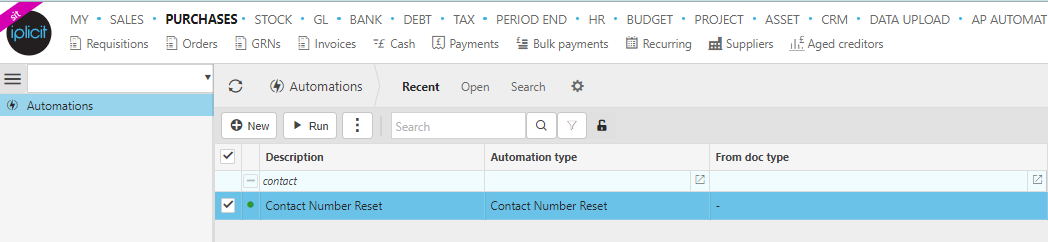
Run Contact Number Reset
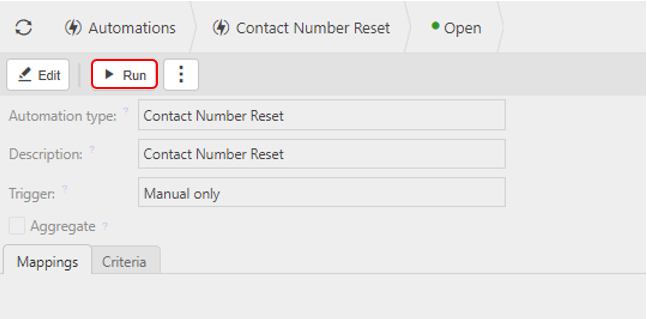
Select Contact Number Reset from Viewing Contact Number Reset above.

Select Run.
New No: This is the desired number for the contact number to be reset to. Each new contact number will follow this reset point.
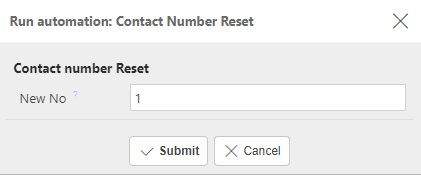
Press Submit.