Multi-Company Sales
If not already available, create a new Automation for the Multi-company Sales process.
Create a new automation using the Multi-Co Sale automation type
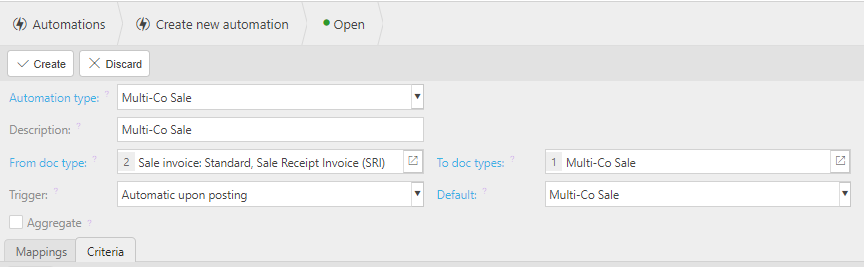
Description - by default, this will be the automation type description. You only need to change this if you are going to have multiple automations of this type.
From doc type: - select the Document type(s) for which you would wish to process automations.
- Sale Invoices and Cash Sales can be used to create Multi-Co Sales.
To doc type: - select the Multi-Co Sale document type.
Default: - select Multi-Co Sale.
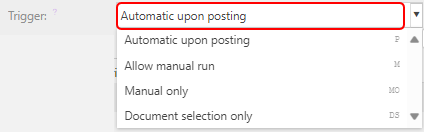
Trigger: - entering Automatically upon posting will be the norm, so that, as long as all the other setups are done, once Submitted is selected and it has been Approved and Posted, it will automatically create the intercompany movement.
Other options are available if so wish.
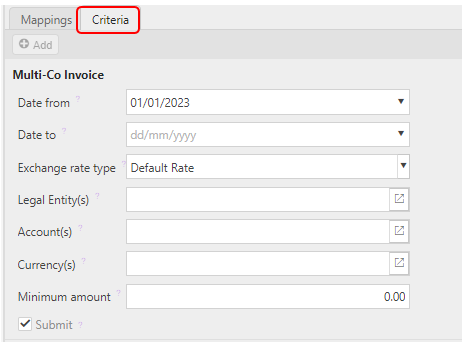
Criteria Tab:
Date from: - enter a start date for the Automation process to start. *Manual process could already have been done, so adding a Start Date means any documents before that date will be ignored.