Catalogs
- Catalogs are typically author based and are lists of data e.g. Suppliers, but can also be custom catalogs
Custom Catalogs
Custom catalogs can be lists, but they can also be based upon queries from existing data e.g. a subset of the Chart of Accounts.
Tip
You must be in the "Catalog admin" user role to be able to create custom catalogs
Items / User list
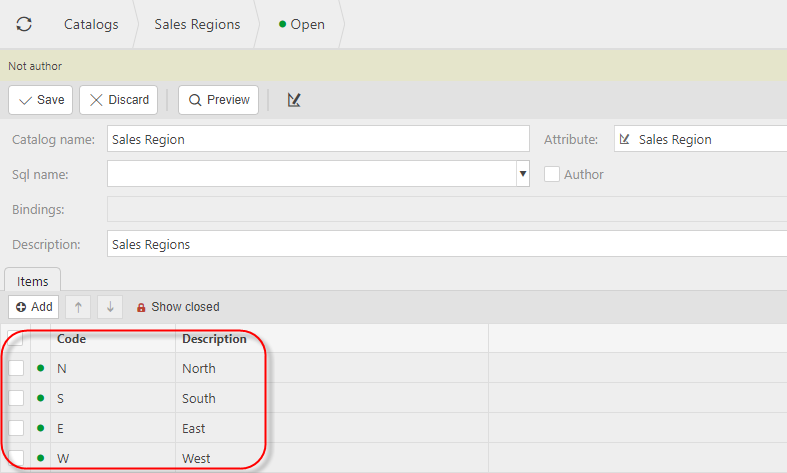
Manually enter catalog items to reflect your desired catalog items
Tip
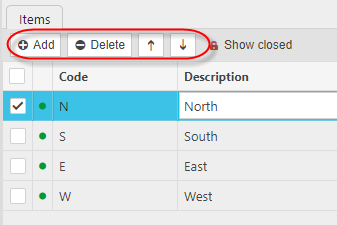
Use UP / DOWN arrows to change the order that catalog items are displayed
Query based list
You can base catalogs upon queries which reference existing data within the system. In the FIG 1 example below, a catalog has been created for P&L purchase chart of account codes to be used as part of prepayment postings
Fig 1
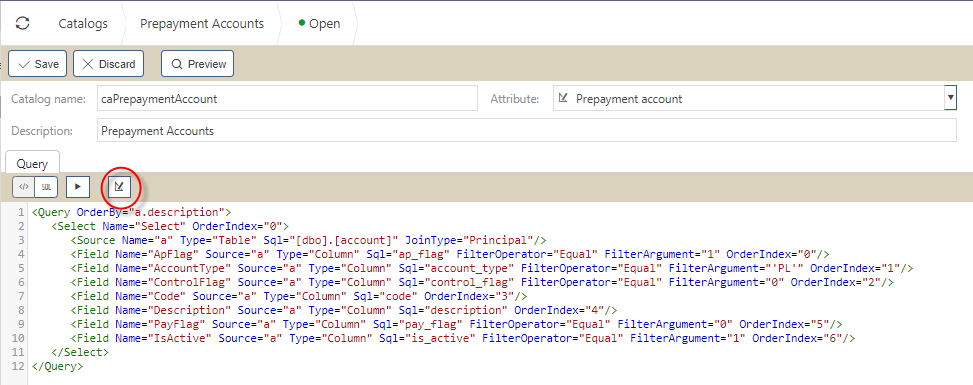
Fig 2
The above XML (Fig 1) is generated by selecting the design icon (highlighted) and then using the enquiry editor to get the required data. You must include / create code and description columns for the catalog
