Currencies
The available currencies are originated from the full list of ISO currencies. They are maintained as author data and are automatically included in releases so you don't need to create your own.

You can reduce the list of available (Open) currencies by Locking currencies - see below.
If you cannot find the currency you want, you can Unlock currencies - see below.
A minimum of two currencies are stored against every document, namely the document currency and the Legal Entity base currency.
Note
- For cash book posting lines, the bank account currency is also stored.
Lock currencies
Select the Open set
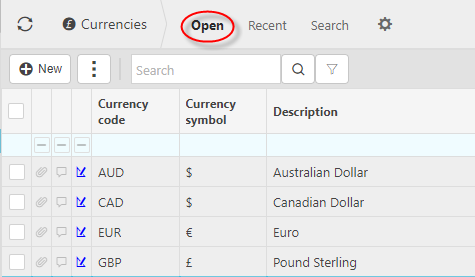
Select the row(s) for the currency(s) you wish to Lock

Select Lock
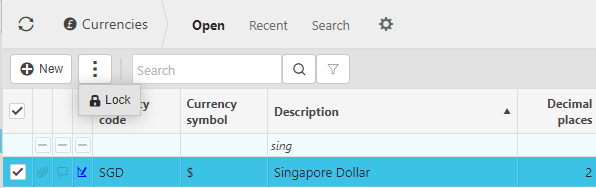
This currency will no longer appear in the Open set.
Unlock Currencies
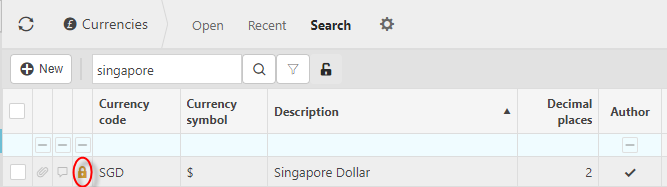
Select the Search set

Select the row(s) for the currency(s) you wish to unlock
Select Unlock
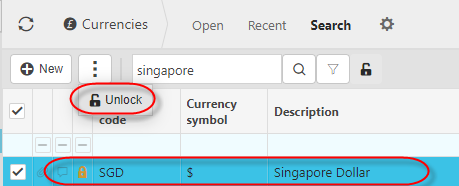
This currency will now appear in the Open set.