Loan Products
The Loan products in this section will be available for use throughout the Loan functions.
Viewing Loan products
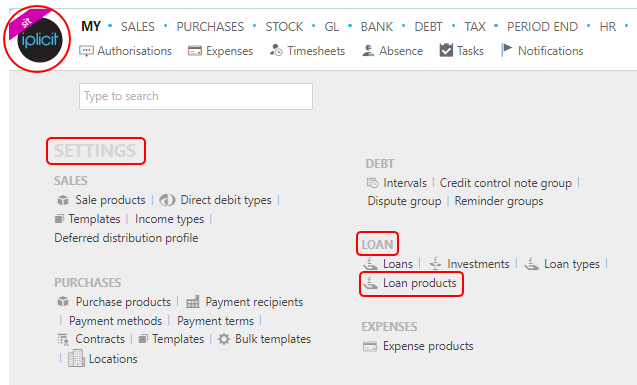
Select Loan / Products from the Settings section of the pulse menu -
Note
This is an example screenshot of the pulse menu.
Position of the menu items within pulse will vary according to available options and dependant on personal screen resolution.
or enter Loan products in the Quick Launch Side Menu.
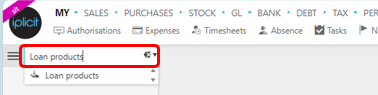
This will then show the Loan products on the system where normal customisation of Sets can be used.

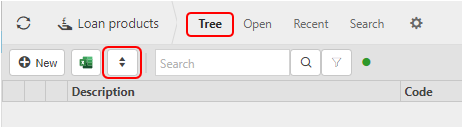
And Tree option will be available where you can toggle the rows to different levels.
Tip
To modify the columns displayed, select  in the top right of the page, then tick/untick the information you want to see or not.
More Information
- Code: This is the code that was chosen when the stock product was first created.
- Description: This will describe the loan product.
- Account: When the product is used it will be analysed under this Chart of account code on the P/L.
- Product group: The Product group will determine defaults adopted by the loan product e.g. its availability for sale and purchase documents.
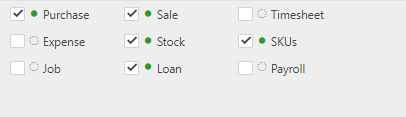
- Expense, Sale, Purchase, Job, Loan, Stock and Payroll: These boxes are ticked showing the other features that the Product can be used in.
Creating a new Loan product
Select Loan products from one of the options as shown above in Viewing Loan products.
Press New.

Enter a product code.
Select a Group.
Enter a product description to identify the product.
Select a Unit group and Unit.
Select a product type.
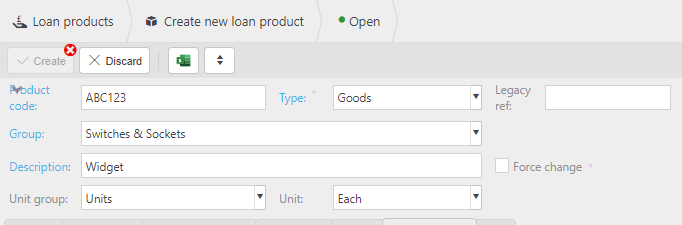
Tick the features you would like the products to be available for.
Press Create.